Prime cost
Prime cost is what you spend on food and beverage plus what you spend on labor, as a share of net sales. It is the biggest part of a restaurant's costs, and the one you can act on week by week.
Prime cost % = (cost of goods + labor cost) ÷ net sales
All three use the same branch and the same dates.
Restaurant → Prime cost. Open Prime cost
Two bases
Choose the Basis at the top of the page.
Actual (closed food-cost periods)
One row per closed food-cost period of each branch. Net sales and cost of goods are the same figures as the food-cost report, including waste and unexplained shortage, and labor is taken over exactly the same dates and times.
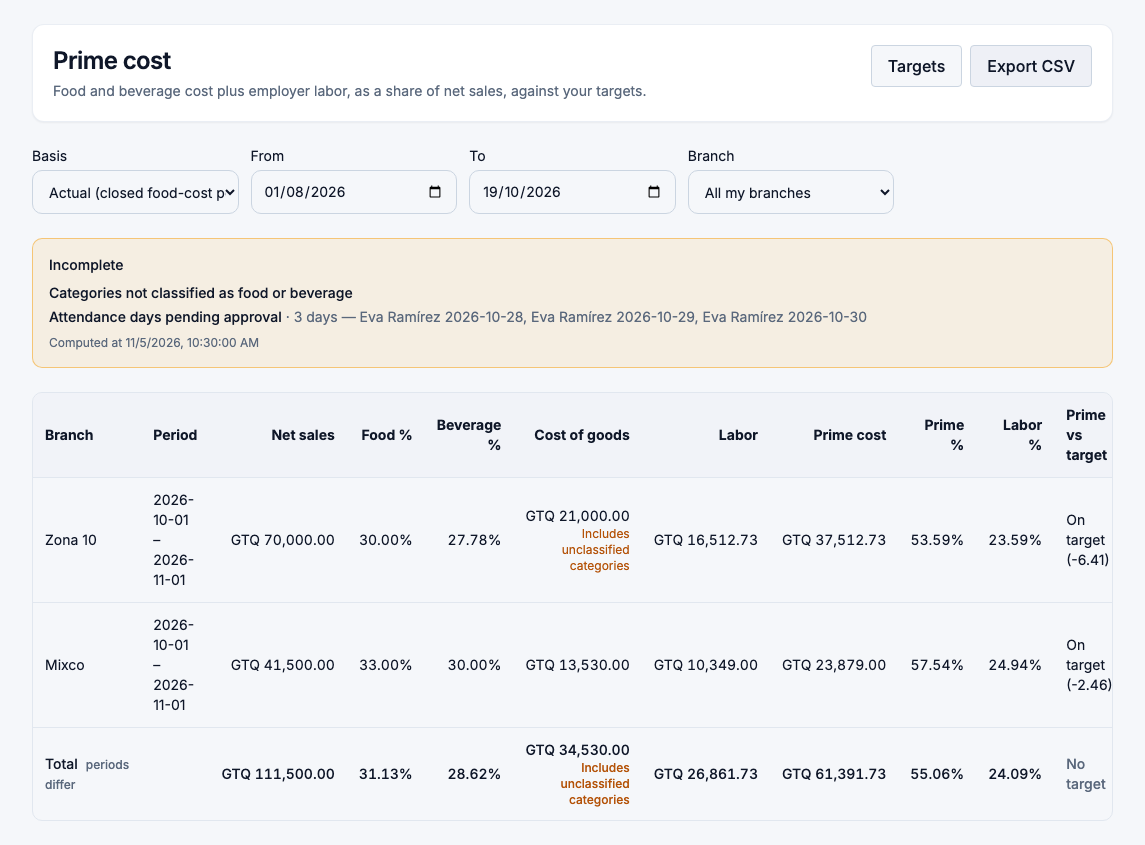
A branch whose food-cost period is still open has no actual row yet; the page says so and offers See theoretical.
Theoretical (weeks or months)
Weeks (Monday to Sunday) or months, from the recipe cost of what was sold. It is useful between counts, but it doesn't see waste or anything the kitchen used beyond the recipes. It is always labelled Theoretical — excludes waste and unexplained variance, and it can never be finalized.
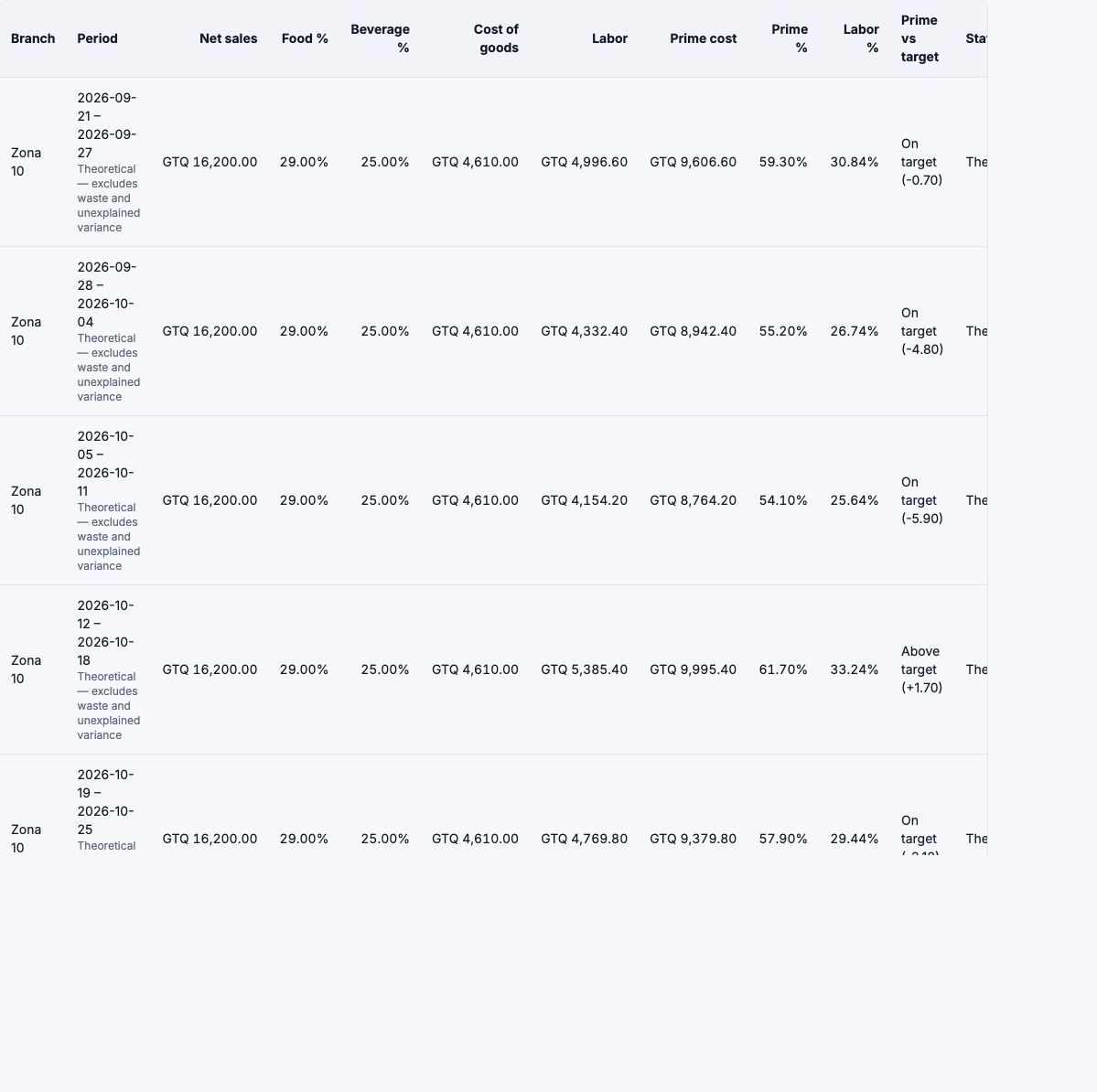
Below the table, the trend shows prime cost % per period against the target (the dashed line).

Reading a row
| Column | What it means |
|---|---|
| Net sales | Restaurant sales without VAT, as in menu engineering and the food-cost report. |
| Food %, Beverage % | Food cost ÷ food sales, and beverage cost ÷ beverage sales. |
| Cost of goods | Food, beverage and everything else the period used. |
| Labor | Employer labor cost, from the labor report. |
| Prime cost, Prime % | Cost of goods + labor, and its share of net sales. |
| Labor % | Labor ÷ net sales. |
| Prime vs target | On target or Above target, with the difference in points. |
| Status | The weakest of food cost and labor: Final, Provisional, Incomplete or Theoretical. |
If some categories aren't classified as food or beverage, the row says Includes unclassified categories: the total is right, but the food/beverage split isn't. Classify them in the food-cost report.
The Total row adds the branches. When their periods don't cover the same dates it says periods differ.
KPI targets
Choose Targets to set the percentages you aim for: Food cost %, Beverage cost %, Labor cost % and Prime cost %.
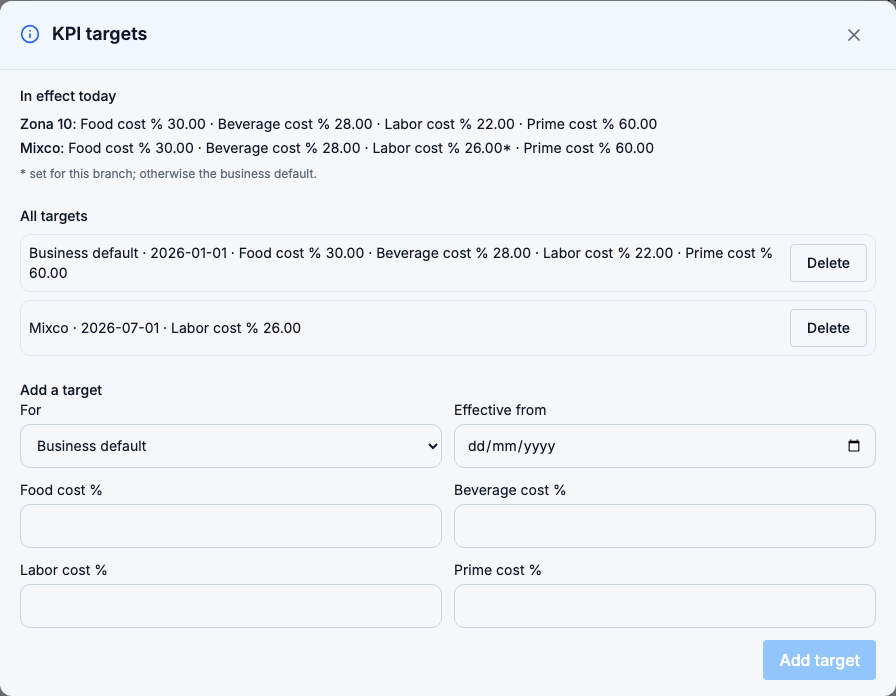
- Add a Business default, and override any percentage for a branch. A percentage the branch doesn't override uses the business default.
- Each target is Effective from a date. A period is compared with the target in effect on its last day, so changing a target doesn't rewrite the past.
- The In effect today list shows what each branch uses now. A * marks a percentage set for that branch.
You can set targets only for branches you are assigned to, and the business default needs access to all of them.
Finalize a period
When an actual row is Final, meaning its food-cost period is closed, its payroll run is closed and its attendance is approved, you can Finalize it.
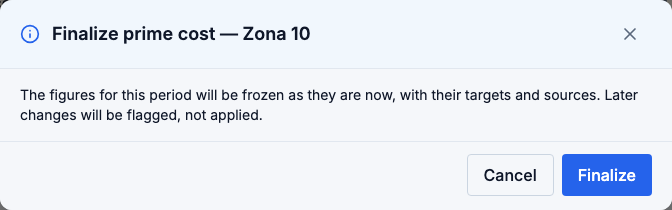
A finalized period keeps its figures, targets and sources exactly as they were. If something changes later (a payroll run closes, attendance is approved late, an allocation rule or a manual entry changes, the food-cost period is closed again), the row is marked Inputs changed after finalizing and says what changed. The frozen figures don't move.
To take the change into account, Reopen the period with a reason, then finalize it again. Reopening keeps every earlier version.
Who sees what
The report is available to owners, administrators, store managers and finance managers, for their branches. The same privacy rule as the labor report applies: without payroll access, labor and prime cost amounts of a branch with fewer than 3 people are hidden.
Your AI assistant (MCP) can read the labor and prime cost reports with the same access and privacy rules. It can't change settings or finalize.