Expenses
An expense records an operating cost that is not an inventory purchase: rent, electricity, internet, cleaning, maintenance, marketing, software, accounting fees. Every business can record expenses. You don't need to turn anything on.
Accounts Payable → Expenses. Open Expenses
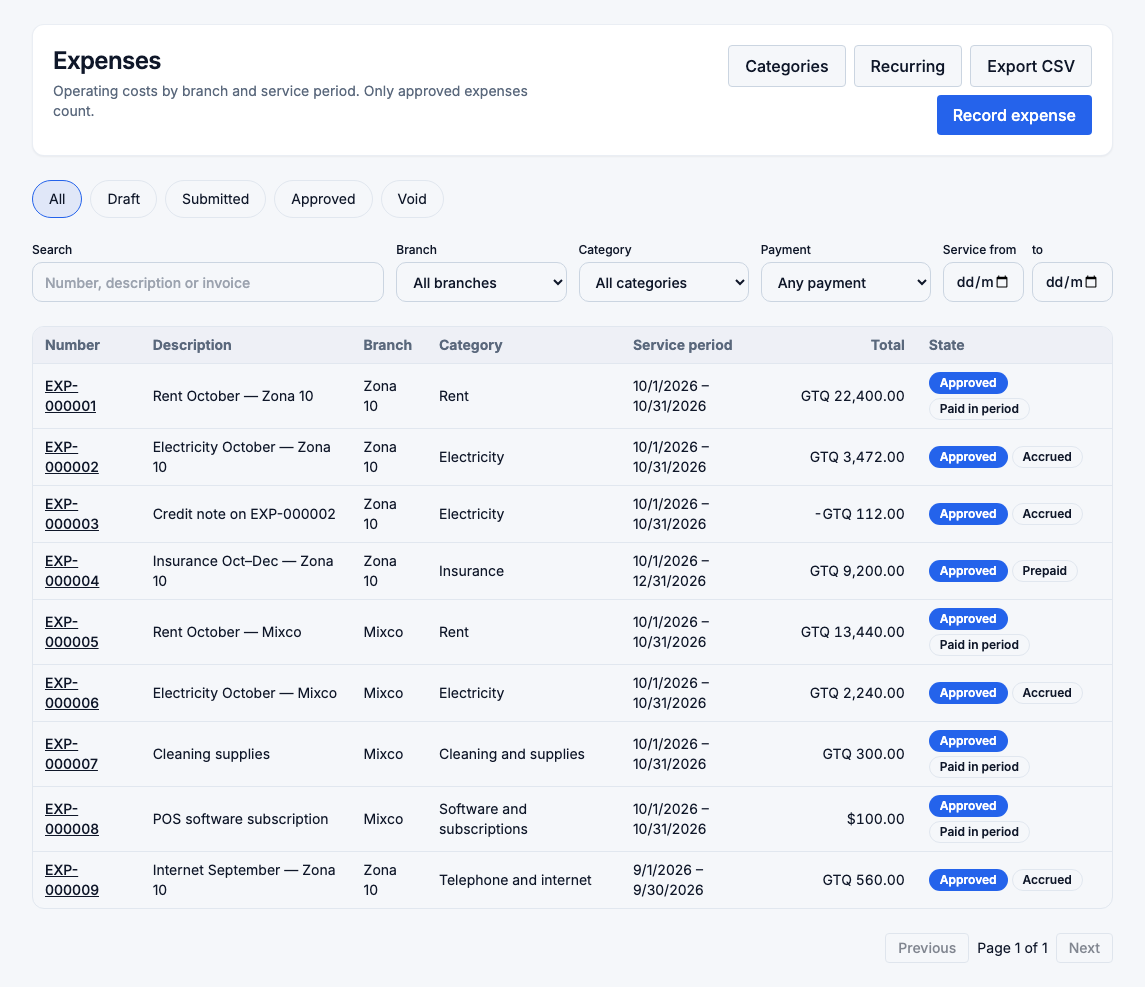
An expense is counted once, from the approved expense. Its payable, the payments you make against it, and the cash taken from the register to pay it are never counted again. Rent recorded as an expense and paid in two installments still counts as one rent.
Record an expense
Choose Record expense and fill in:
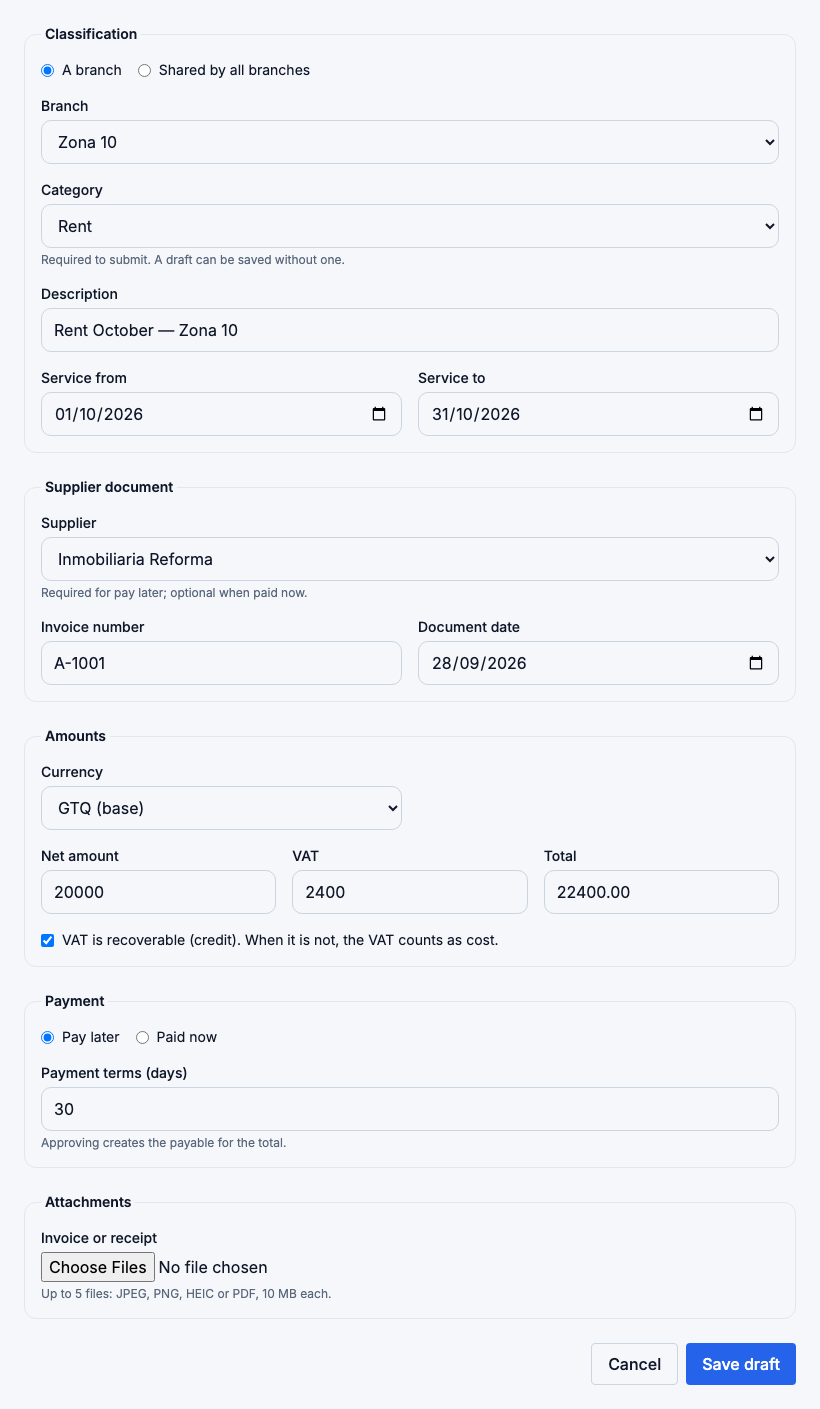
| Field | What to enter |
|---|---|
| Belongs to | A branch (choose it) or Shared by all branches. Shared expenses are divided between branches by your allocation rules. |
| Category | Rent, Utilities, Marketing… Required to submit; a draft can be saved without one. |
| Supplier, Invoice number, Document date | From the supplier's document. The supplier is required for Pay later. |
| Service from / to | The period the expense is for. It defaults to the document's month. |
| Net amount, VAT | The total is net + VAT. Tick VAT is recoverable when you can credit it; if you can't, the VAT is part of the cost. |
| Payment | Pay later (a payable is created when it is approved) or Paid now (by a payment method, or in cash from an open register session). |
| Attachments | Up to 5 photos or PDFs of the invoice or receipt, 10 MB each. |
Which month an expense counts in
An expense counts in its service period, not on its invoice date. October rent invoiced on 28 September counts in October, and a three-month insurance counts a third in each month. The list shows the timing of each expense:
- Paid in period: paid within its service period.
- Prepaid: paid before its service period starts.
- Accrued: its service period has passed and it is not paid yet.
Approve
Submit an expense when it is complete; someone with approval rights then Approves it. By default the person who submitted an expense can't approve it. In a business with a single manager you can allow it in Expense categories → Settings; then Submit and approve does both in one step.
When an expense is approved:
- Pay later creates its payable in Accounts Payable, with the supplier, invoice number and due date.
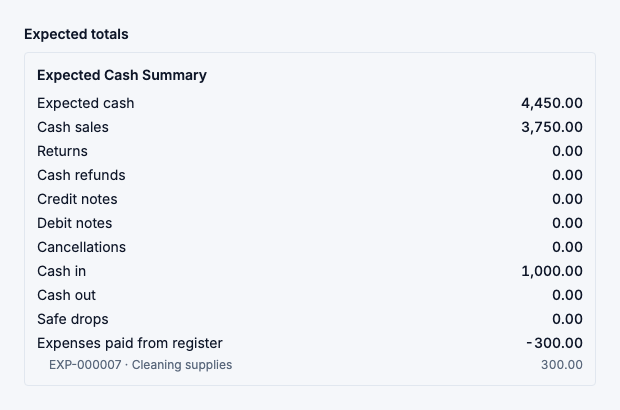
- Paid now from the register takes the cash out of the open session, and the session's expected cash goes down by that amount.
Correct an approved expense
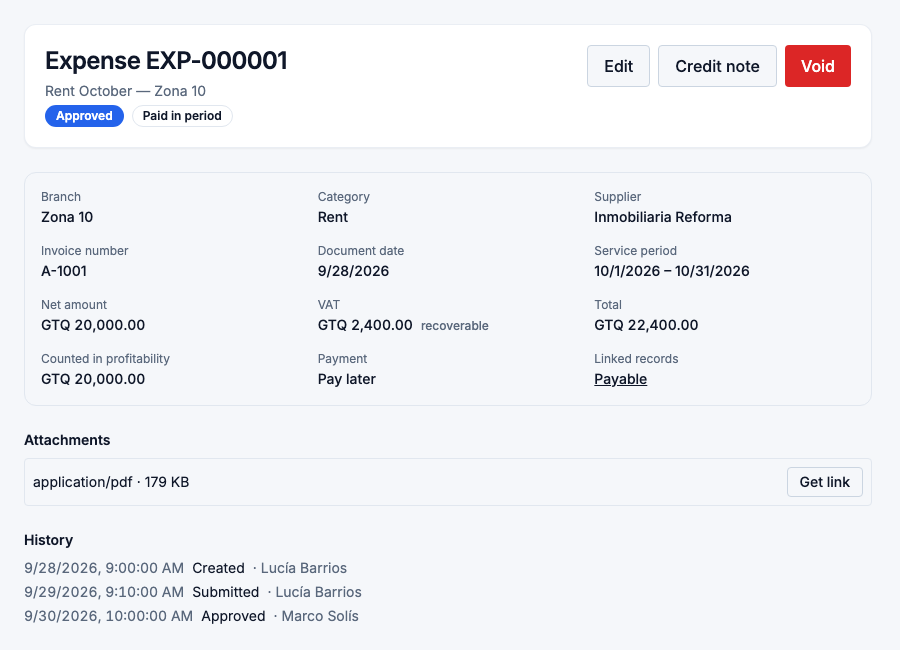
Once approved, an expense's amounts, supplier, currency and payment can't be edited. You can still change its category, branch, service period, whether VAT is recoverable, and the description. The change is recorded with the before and after values.
To correct amounts:
- Void the expense, with a reason, and record it again. A payable with no payments is voided with it. If the payable already has payments, void the payments first.
- Or add a Credit note: enter the amounts the supplier credits, and a draft with negative amounts is created in the same category and branch. Approve it like any expense.
Expenses paid from the register
At the register, Cash movements → Expense opens a paid-now expense with the open session already filled in. The old manual "expense" cash movement is no longer accepted.
The session's closing report and the Z-report show the line Expenses paid from register. Expected cash goes down only by these expenses. Sessions closed before this change are not affected.
Recurring expenses
Accounts Payable → Recurring expenses holds templates for costs that repeat every month, such as rent or internet. Open Recurring expenses
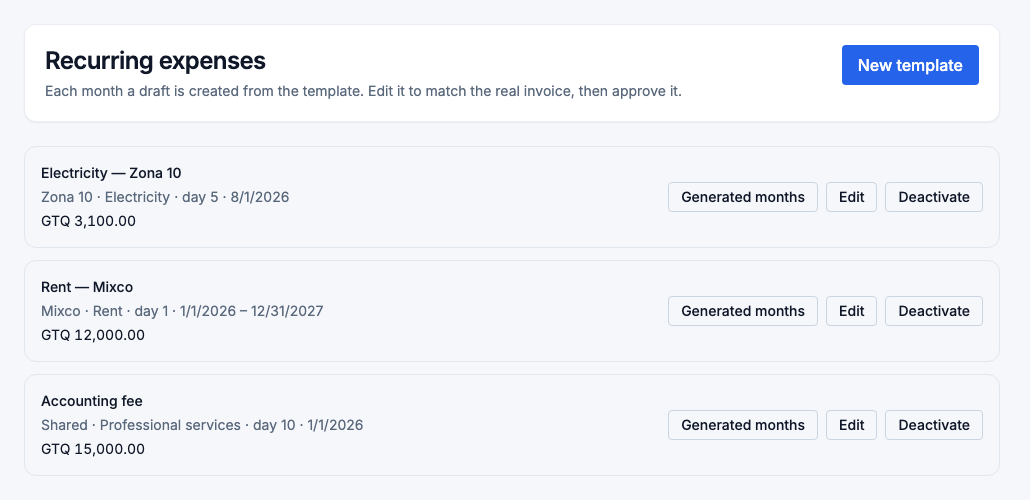
Each month FlowPOS creates a draft from the template on the day you choose. Edit it to match the real invoice, then submit and approve it. Nothing is approved automatically. A draft not yet approved is flagged in branch profitability. Changing a template affects only the drafts created afterwards.
Categories
Accounts Payable → Expense categories lists the categories your business uses. Common ones come ready-made. Open Expense categories
Each category is either an Operating expense or Not an operating cost (for example, a loan repayment or an owner's withdrawal). Only operating expenses reach profitability. Once a category has been used, its kind can't change. A deactivated category stays on the expenses that already use it.
Supplier invoices with expense lines
When you post a supplier document (XML or PDF) that has both inventory lines and expense lines, the purchase keeps the whole invoice as its payable. The expense lines become a draft expense to categorize and approve, which creates no second payable. A document with only expense lines becomes a pay-later draft.
Export
Export CSV on the expense list downloads the filtered list. Each export is recorded in the activity log.
Who sees what
| Role | Can |
|---|---|
| Owner, administrator, finance manager | Record, approve, void, export; manage categories, settings and recurring expenses. |
| Store manager | Record and submit expenses for their branches; read categories. |
| Cashier | Record their own cash expenses paid from their open register session. |
A branch expense needs access to that branch, and a shared one needs access to every branch.